
Bulk QR Code Generator with API 2026 (Easy & Free)

A bulk QR code generator creates hundreds or thousands of unique QR codes from a single data source like a spreadsheet or API call. The QR code market is projected to reach $15.23 billion in 2026, and platforms like QRCode.co.uk let you generate bulk QR codes for free with full API access, scan analytics, and custom branding.
What Is a Bulk QR Code Generator?
What you'll need:
- A spreadsheet (Excel or Google Sheets) with your QR code data, or access to the QRCode.co.uk API
- A free QRCode.co.uk account (for API token and scan tracking)
- Time estimate: 15-30 minutes for manual batch creation, under 5 minutes via API
- Skill level: Beginner-friendly (manual) to Intermediate (API)
Quick overview of the process:
- Understand bulk QR code generation -- what it is and when you need it
- See why bulk QR codes matter in 2026 -- market data and adoption trends
- Evaluate generator features -- API access, dynamic codes, analytics
- Generate bulk QR codes from spreadsheets -- Excel and Google Sheets walkthrough
- Use the QRCode.co.uk API -- automate generation with code examples
- Customize QR codes with logos and text -- branding your batch output
- Apply bulk QR codes in business -- real use cases across industries
- Optimise your bulk QR codes -- testing, tracking, and error correction tips
A bulk QR code generator is a tool that produces multiple unique QR codes from a single dataset in one operation. Instead of creating codes one by one, you feed the generator a spreadsheet, CSV file, or API request containing your data, and it outputs all the QR codes you need in minutes.
The difference between single and bulk generation is significant. Creating 10 individual QR codes manually takes about 10 minutes, according to Jotform's evaluation of QR tools. Scale that to 500 codes for a product line or 2,000 for an event, and manual creation becomes completely impractical.
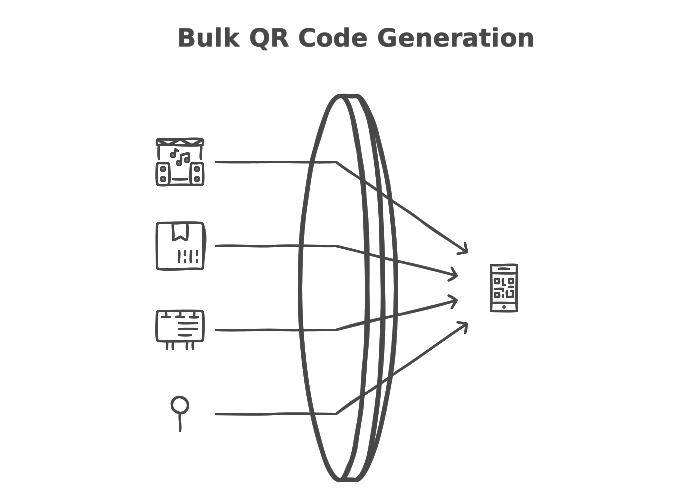
Bulk QR code generators come in two forms:
- Web-based batch tools: Upload a CSV or Excel file through a browser interface. Good for one-off batches of 50-500 codes.
- API-driven generators: Send HTTP requests programmatically to create codes at scale. Better for recurring generation, integration with existing systems, and batches of 1,000+.
QRCode.co.uk supports both approaches. You can generate codes through the web interface for smaller batches or connect to the REST API for automated, high-volume generation.
Dynamic vs Static Bulk QR Codes
This distinction matters for bulk generation. Static QR codes encode data directly -- the destination URL is baked into the code pattern itself. You can't change where the code points after printing.
Dynamic QR codes use a short redirect URL. The actual destination lives on a server, so you can update it without reprinting. According to SuperCode's industry analysis, 98% of all QR codes created today are dynamic. For bulk campaigns, dynamic codes give you the ability to fix errors, update promotions, and track scans without regenerating your entire batch.
You'll know which type you need when: If your data changes (promotions, event details, seasonal URLs), choose dynamic. If the data is permanent (serial numbers, fixed product pages), static works fine and scans faster because there's no redirect hop.
Pro tip: After 3 years of running QRCode.co.uk, I've seen businesses waste entire print runs because they used static codes for a campaign with changing URLs. We now default to dynamic codes in our bulk generator for exactly this reason. The redirect adds about 50ms of scan time, which nobody notices, but the flexibility saves real money.
Why Bulk QR Codes Are Essential in 2026
QR code adoption has moved well beyond the pandemic-era contactless payment trend. Businesses now use QR codes as a core operational tool, and the numbers reflect that shift.
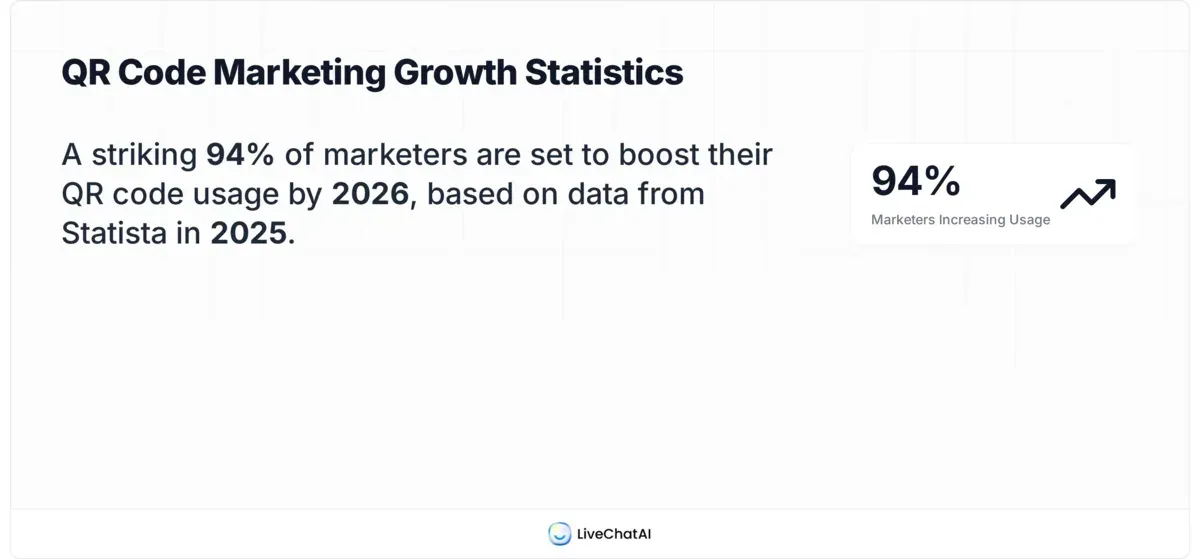
According to SuperCode's tracking report, 94% of marketers increased their QR code usage in the past 12 months, with over 99.5 million Americans scanning QR codes monthly. That's not a niche technology -- it's mainstream infrastructure.
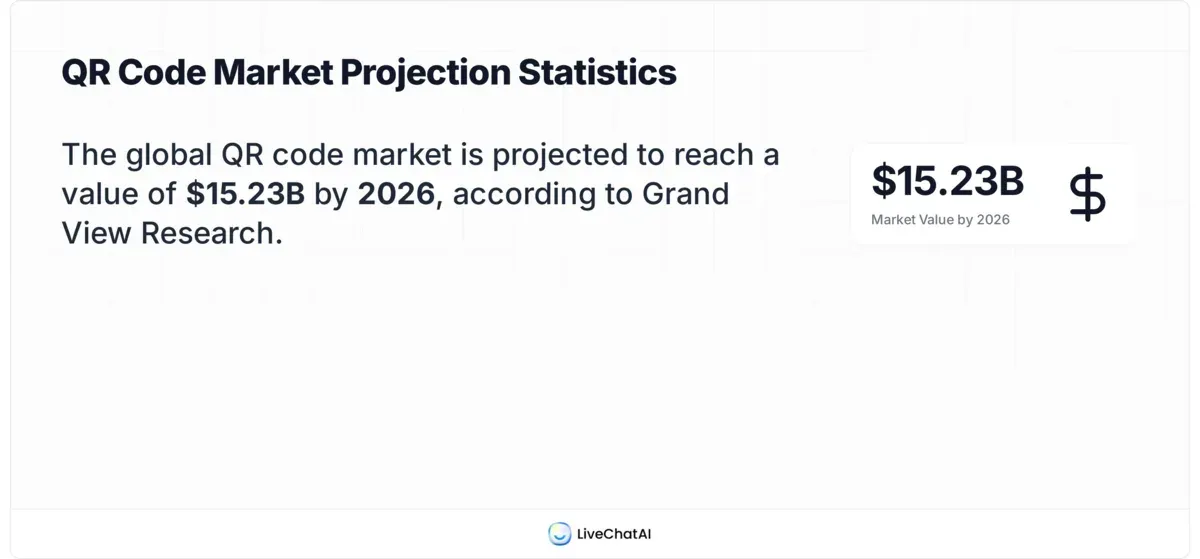
The market size tells the same story. The global QR code market reached $13.04 billion in 2025 with a 17% CAGR, and according to G2's statistics report, 57% of companies are actively increasing their QR code investment. The QR Code Generator software market alone is valued at $0.89 million and projected to hit $1.45 million by 2033, per Market Reports World.
Why Bulk Generation Specifically?
Single QR code creation doesn't scale. When a retail chain needs codes for 3,000 SKUs, or a conference organises personalised badges for 1,500 attendees, one-at-a-time generation breaks down. Bulk generation addresses three specific bottlenecks:
- Time compression: What takes hours manually completes in seconds via API. A single QRCode.co.uk API call generates a code in under 200ms.
- Consistency: Every code in the batch uses identical styling, error correction, and format settings. No variation from manual input errors.
- Traceability: Bulk-generated codes can include unique identifiers that map back to your source data, making scan analytics actionable at the individual code level.
QR code usage grew by 22% by 2025, according to QRCodeChimp's statistics analysis. That growth rate means the businesses generating QR codes today will need even more next quarter. Bulk generation isn't a nice-to-have anymore. It's the baseline.
What Features Should You Look for in a Bulk QR Code Generator with API?
Not all bulk QR code generators are built the same. The feature gap between a basic batch tool and a proper API-driven platform determines whether you can actually scale your QR code operations.
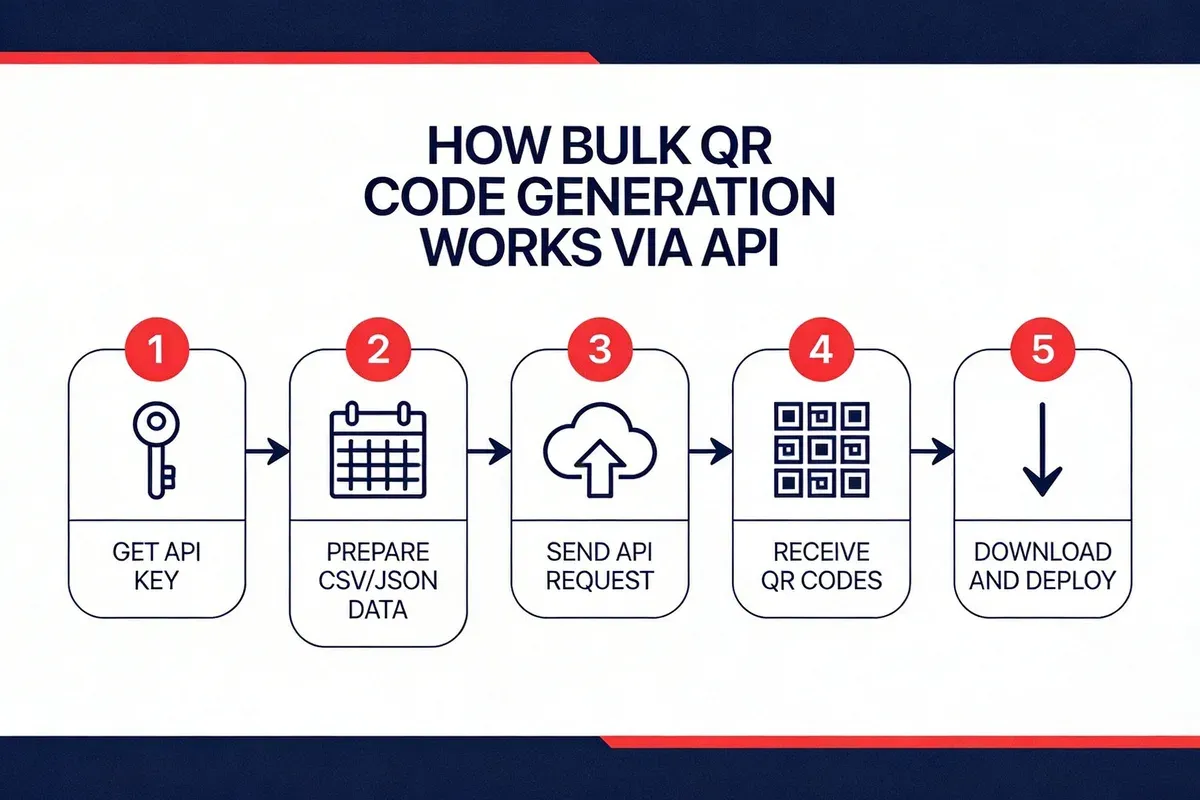
Here's what separates useful tools from toys:
REST API Access
A proper bulk QR code generator must offer a documented REST API. This lets you automate generation from any programming language, integrate with your CRM or inventory system, and trigger batch creation from spreadsheet uploads or database queries. QRCode.co.uk provides a full REST API with JSON responses that covers QR code creation, customisation, and retrieval.
Dynamic Code Support with Scan Analytics
Generating codes is only half the job. You need to know which codes get scanned, when, where, and on what device. Look for:
- Real-time scan tracking with geographic data
- Device and OS breakdown per code
- Time-series scan data for campaign analysis
- The ability to edit destination URLs after generation
QRCode.co.uk includes scan analytics on every dynamic code, so you can measure campaign performance without third-party tracking tools.
Multiple QR Code Types
URL codes are the most common, but bulk generation for business often requires other types:
| QR Code Type | Use Case | Bulk Application |
|---|---|---|
| URL | Website links | Marketing campaigns, product pages |
| vCard | Contact information | Employee badges, business cards |
| Wi-Fi | Network credentials | Hotel rooms, co-working spaces |
| Plain Text | Serial numbers, IDs | Asset tracking, inventory labels |
| Pre-filled email | Feedback forms, support tickets | |
| SMS | Pre-filled messages | Opt-in campaigns, event RSVPs |
Customisation at Scale
Branded QR codes scan at higher rates than plain black-and-white ones. Your bulk generator should let you set colours, add logos, choose dot styles, and apply frames across an entire batch without configuring each code individually.
Export Formats and Error Correction
For print, you need vector formats (SVG, EPS). For digital use, PNG or WebP. Error correction level matters too -- higher levels (Q or H) make codes scannable even when partially obscured by a logo or damage, but they also make the code denser. A good bulk tool lets you set these parameters globally for the batch.
Watch out for:
- No API documentation: If a tool doesn't publish its API docs, the API is either unstable or nonexistent. QRCode.co.uk publishes full endpoint documentation with request/response examples.
- Static-only bulk generation: Some free tools only generate static codes in bulk. You lose tracking and editability entirely.
- Rate limits without disclosure: Check whether the API has request limits, and whether they're published. Hidden rate limits break production integrations.
How to Generate Bulk QR Codes from Excel or Google Sheets
Spreadsheet-based bulk generation is the fastest method for non-developers. You prepare your data in a familiar format, then either upload it to a web tool or feed it to an API script.
Step 1: Prepare Your Spreadsheet Data
Structure your spreadsheet with one row per QR code. The minimum you need is a single column with the data to encode (usually URLs). For richer output, add columns for labels, categories, or custom parameters.
Here's a working template layout:
| Column A: URL | Column B: Label | Column C: Campaign |
|---|---|---|
| https://example.com/product-1 | Product Widget A | spring-2026 |
| https://example.com/product-2 | Product Widget B | spring-2026 |
| https://example.com/product-3 | Product Widget C | spring-2026 |
- Open Excel or Google Sheets and create your columns
- Paste or type your URLs into Column A (one per row)
- Add descriptive labels in Column B so you can identify each code later
- Include campaign or category tags in Column C for organisational tracking
- Save the file as CSV (File > Save As > CSV in Excel, or File > Download > CSV in Google Sheets)
You'll know it's ready when: Every row has a valid URL (starting with https://), no blank rows exist between data entries, and you can open the CSV in a text editor and see comma-separated values with no encoding errors.
Watch out for:
- Special characters in URLs: Ampersands (&), question marks (?), and hash symbols (#) in URLs can break CSV parsing. Wrap URLs in double quotes in your CSV, or use Excel's ENCODEURL function.
- Trailing whitespace: Invisible spaces after URLs cause QR codes to encode the wrong destination. Use TRIM() in your spreadsheet before exporting.
Pro tip: We process hundreds of bulk generation requests through QRCode.co.uk. The single most common support ticket is "my QR codes don't work" caused by invisible line breaks in CSV files exported from Excel on Windows. Before uploading, open your CSV in Notepad++ and turn on "Show All Characters" to catch them.
Step 2: Upload and Generate via QRCode.co.uk
With your CSV ready, the actual generation takes less than a minute.
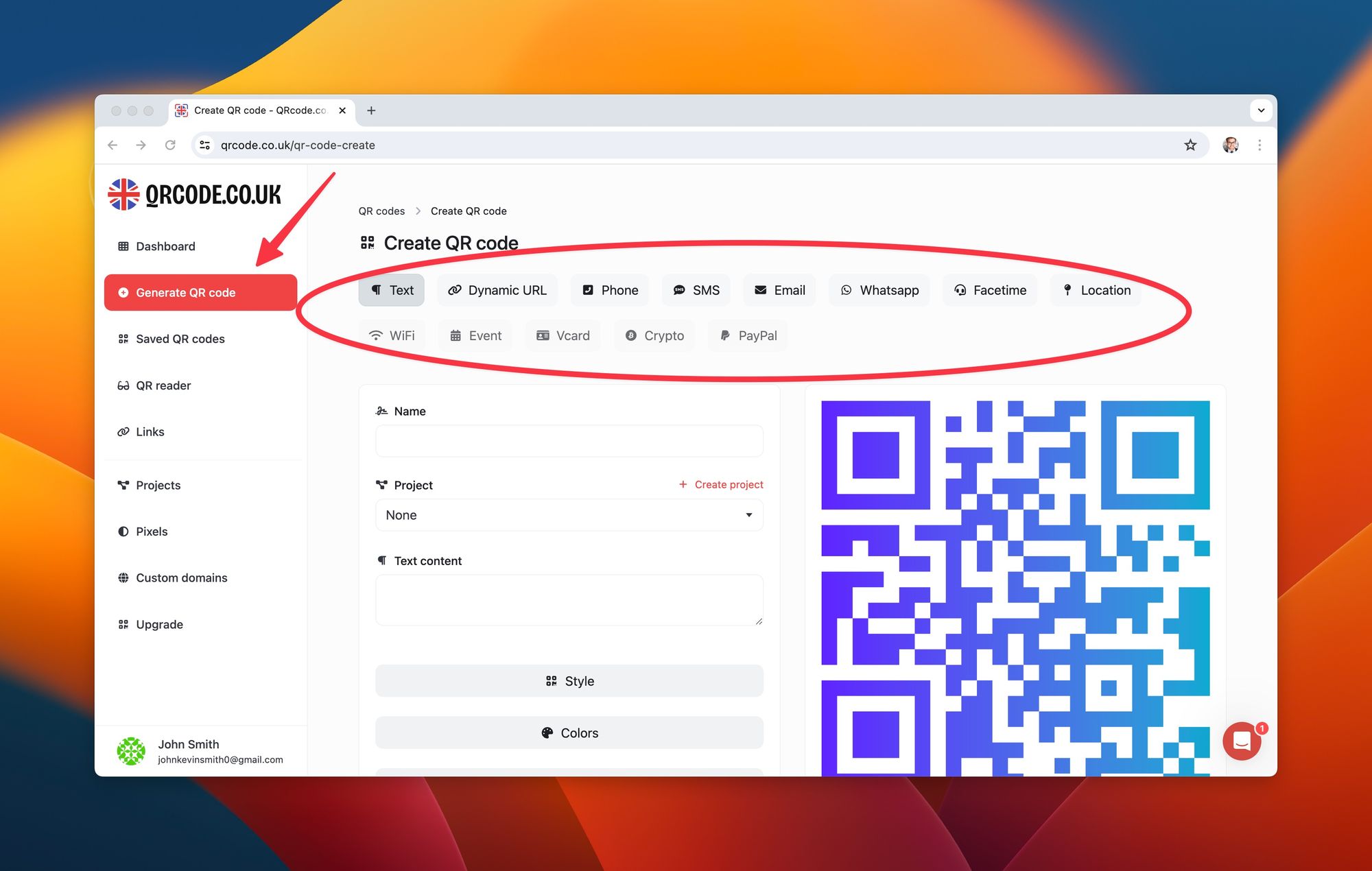
- Go to QRCode.co.uk and select the QR code type matching your data (URL, vCard, text, etc.)
- Enter the data from your spreadsheet or use the API endpoint for batch processing
- Configure your styling preferences (colours, logo, dot shape) -- these apply to all codes in the batch
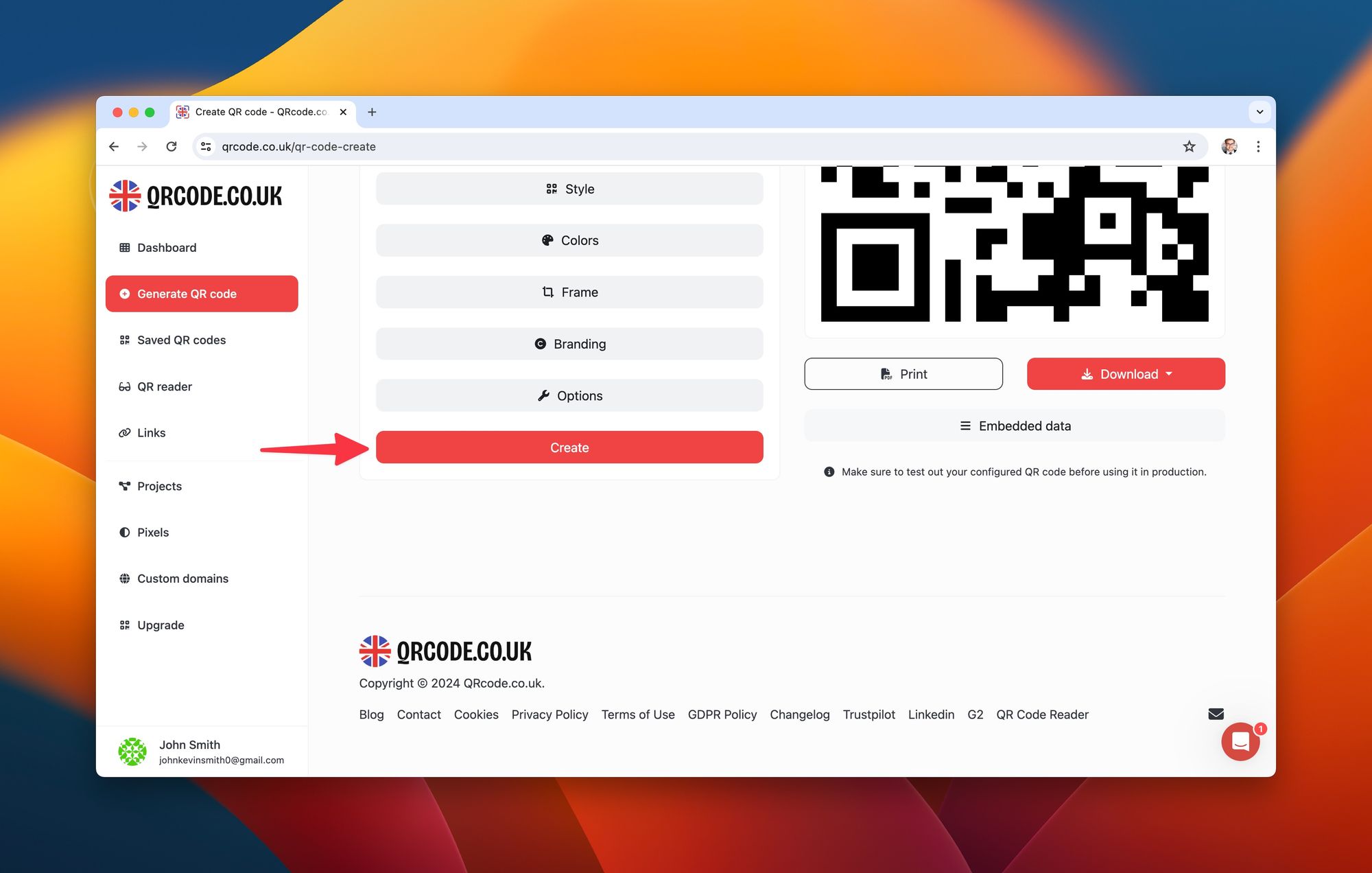
- Click Create to generate your QR code
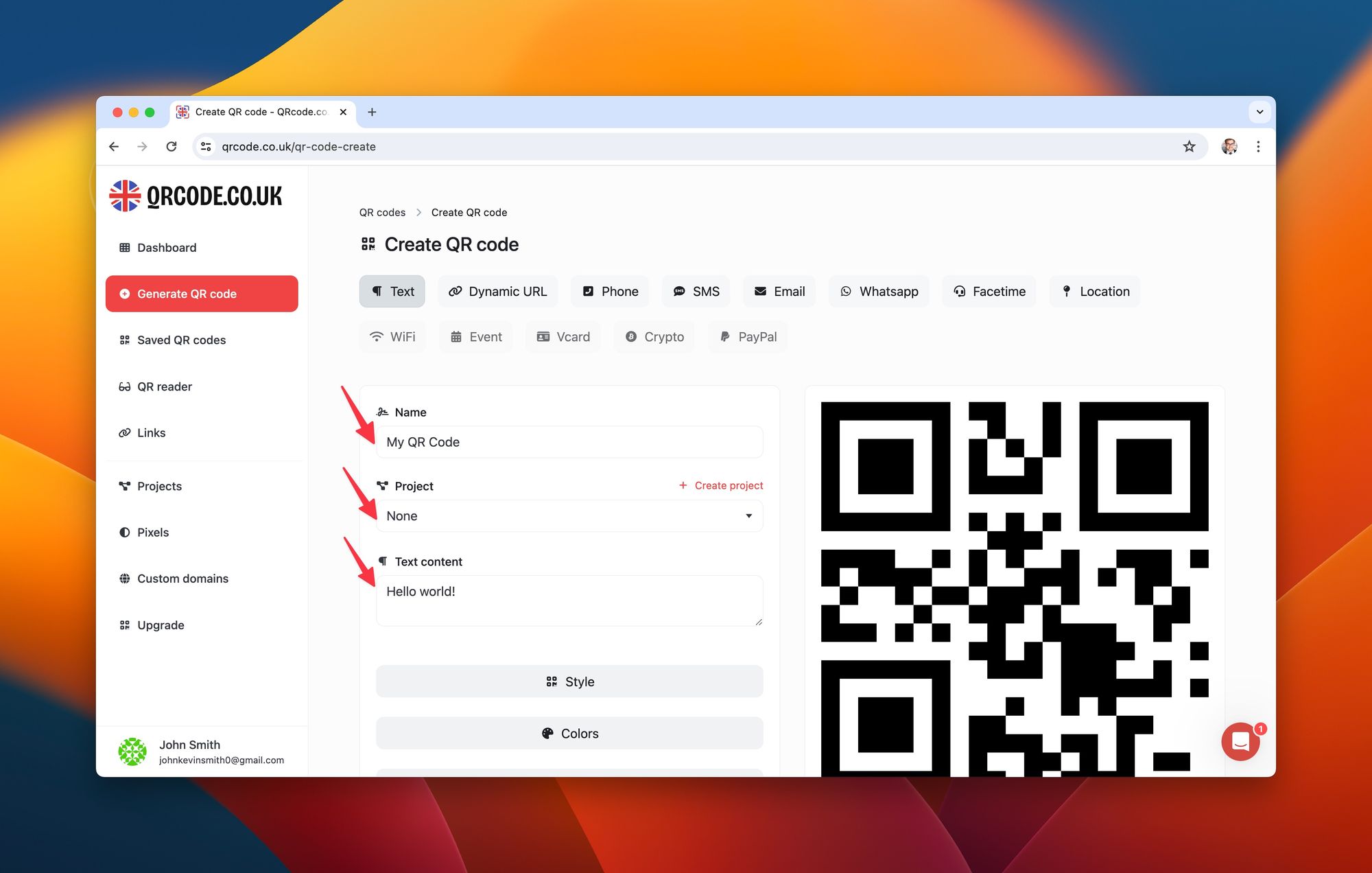
You'll know it's working when: Each QR code preview matches the expected destination URL. Test-scan at least 3 codes from different positions in your batch (first, middle, last) to confirm they resolve correctly.
Watch out for:
- Browser timeout on large batches: Generating 500+ codes through a web interface can time out. For batches above 200 codes, use the API method described in the next section instead.
- Mixed content types: Don't mix URL codes and vCard codes in the same batch. Each type requires different data fields, and mixing them produces broken codes.
Step 3: Use Google Sheets with the QRCode.co.uk API
For Google Sheets users, you can call the QRCode.co.uk API directly from Apps Script to generate codes without leaving your spreadsheet.
Here's a working Apps Script function:
function generateQRCodes() {
  var sheet = SpreadsheetApp.getActiveSheet();
  var data = sheet.getRange("A2:A" + sheet.getLastRow()).getValues();
  var apiToken = "YOUR_API_TOKEN";

  for (var i = 0; i < data.length; i++) {
    var url = data[i][0];
    if (!url) continue;

    var options = {
      method: "post",
      headers: {
        "Authorization": "Bearer " + apiToken,
        "Content-Type": "application/json"
      },
      payload: JSON.stringify({
        type: "url",
        data: url,
        style: { color: "#000000", background: "#FFFFFF" }
      })
    };

    var response = UrlFetchApp.fetch(
      "https://qrcode.co.uk/api/qrcode", options
    );
    var result = JSON.parse(response.getContentText());
    sheet.getRange("B" + (i + 2)).setValue(result.data.url);
  }
}
This script reads URLs from column A, sends each to the QRCode.co.uk API, and writes the generated QR code download URL into column B.
Pro tip: If you're generating more than 100 codes via Apps Script, add a Utilities.sleep(200) call between requests to avoid hitting Google's URL Fetch quota. We built the QRCode.co.uk API to handle bursts, but Google's script runtime has its own limits.
How to Generate Bulk QR Codes with the QRCode.co.uk API
The QRCode.co.uk API is the most efficient way to generate bulk QR codes programmatically. It supports all QR code types available on the platform, returns JSON responses, and works with any language that can make HTTP requests.
Step 1: Get Your API Token
You need an API token to authenticate requests. Here's how to get one:
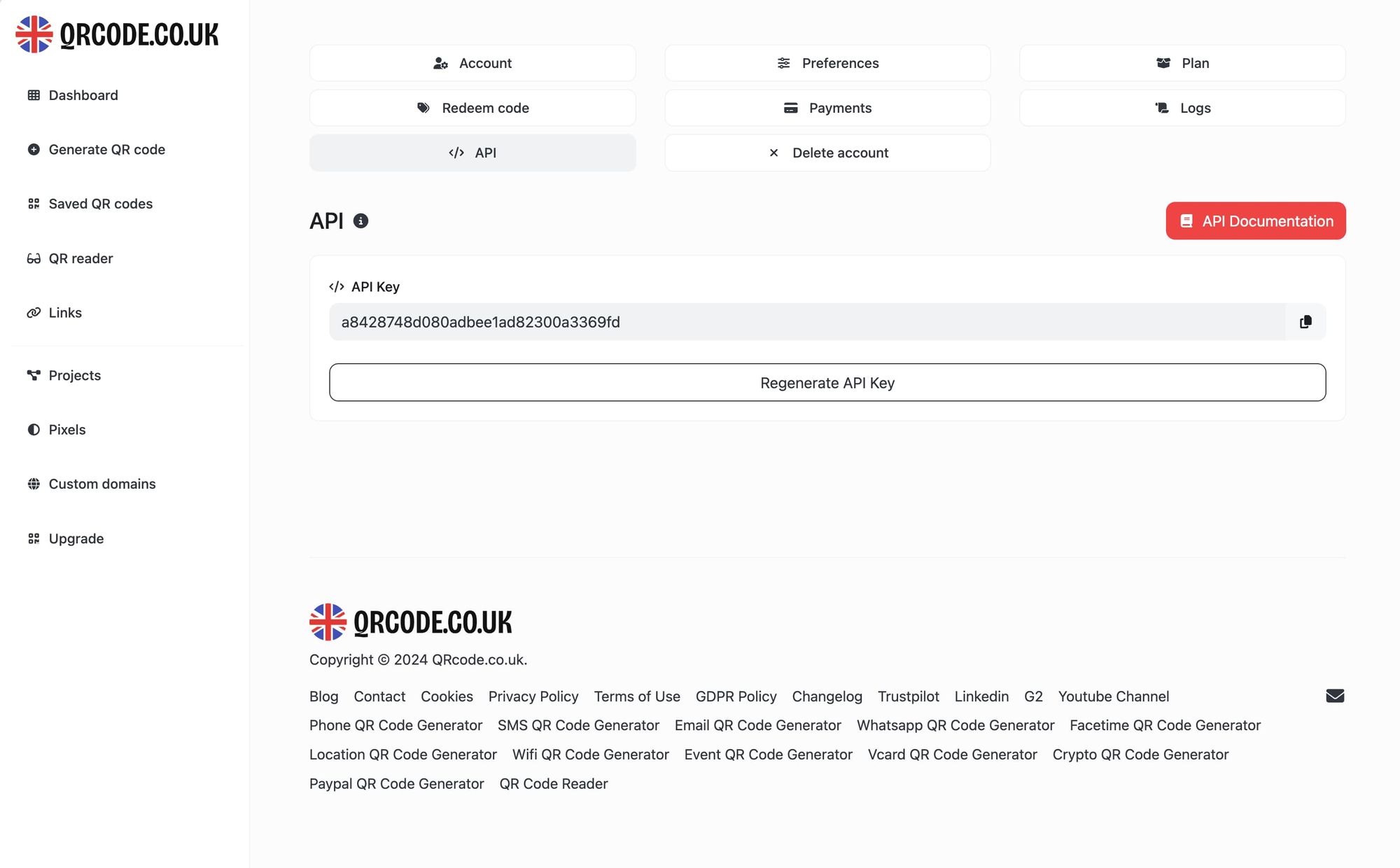
- Sign in to your QRCode.co.uk account (or create a free account)
- Navigate to Settings > API in the dashboard
- Click Generate API Token
- Copy the token and store it securely -- you won't see it again after navigating away
You'll know it's working when: The dashboard shows your token status as "Active" and displays the creation date.
Watch out for:
- Token exposure in client-side code: Never embed your API token in JavaScript that runs in the browser. It's visible in page source. Use server-side code or environment variables.
- Sharing tokens across teams: Generate separate tokens for each integration or team member. If one gets compromised, you can revoke it without breaking other integrations.
Step 2: Structure Your API Request
The QRCode.co.uk API accepts POST requests with JSON payloads. Here's the anatomy of a single QR code generation request:
curl -X POST "https://qrcode.co.uk/api/qrcode" \
  -H "Authorization: Bearer YOUR_API_TOKEN" \
  -H "Content-Type: application/json" \
  -d '{
    "type": "url",
    "data": "https://example.com/product-landing",
    "style": {
      "color": "#1a1a2e",
      "background": "#ffffff",
      "dotStyle": "rounded"
    },
    "options": {
      "errorCorrection": "H",
      "size": 300
    }
  }'
The response returns a JSON object with the QR code image URL and metadata:
{
  "status": "success",
  "data": {
    "id": "qr_abc123",
    "url": "https://qrcode.co.uk/qr/abc123.png",
    "type": "url",
    "scans": 0,
    "created_at": "2026-02-27T10:30:00Z"
  }
}
Step 3: Build a Bulk Generation Script
For generating hundreds or thousands of codes, loop through your data and send sequential or parallel requests. Here's a Python script that reads a CSV and generates codes in batch:
import csv
import requests
import json
import time

API_TOKEN = "YOUR_API_TOKEN"
API_URL = "https://qrcode.co.uk/api/qrcode"
INPUT_FILE = "qr_data.csv"
OUTPUT_FILE = "generated_codes.json"

headers = {
    "Authorization": f"Bearer {API_TOKEN}",
    "Content-Type": "application/json"
}

results = []

with open(INPUT_FILE, "r") as f:
    reader = csv.DictReader(f)
    for row in reader:
        payload = {
            "type": "url",
            "data": row["url"],
            "style": {
                "color": "#1a1a2e",
                "background": "#ffffff"
            },
            "options": {
                "errorCorrection": "H",
                "size": 300
            }
        }

        response = requests.post(
            API_URL, headers=headers,
            json=payload
        )

        if response.status_code == 200:
            result = response.json()
            results.append({
                "input_url": row["url"],
                "label": row.get("label", ""),
                "qr_url": result["data"]["url"],
                "qr_id": result["data"]["id"]
            })
            print(f"Generated: {row['url']}")
        else:
            print(f"Failed: {row['url']} - {response.status_code}")

        time.sleep(0.1)  # Rate limiting buffer

with open(OUTPUT_FILE, "w") as f:
    json.dump(results, f, indent=2)

print(f"Done. {len(results)} QR codes generated.")
This script processes each row in your CSV, generates a QR code, and saves the results to a JSON file with both the original data and the generated code URLs.
You'll know it's working when: The script outputs "Generated:" lines for each URL without errors, and the output JSON file contains matching entries with valid QR code URLs. Open a few of the QR code URLs in your browser to verify they display correctly.
Watch out for:
- No error handling on network failures: The script above is simplified. In production, wrap the API call in a try/except block and implement retry logic with exponential backoff for 429 (rate limit) and 5xx (server error) responses.
- Running without rate limiting: Even though the QRCode.co.uk API handles bursts well, sending 1,000 requests simultaneously can trigger rate limits. The 100ms sleep in the script above prevents this.
Pro tip: For batches over 1,000 codes, I run the script with Python's concurrent.futures using 5 parallel workers with 200ms delays. This cuts a 2,000-code batch from 4 minutes (sequential) to about 90 seconds. The QRCode.co.uk API handles concurrent requests from the same token without issues.
Step 4: Download and Organise Your Generated Codes
After generation, you'll want to download the QR code images and organise them for distribution. Extend the script to download each image:
import os

OUTPUT_DIR = "qr_codes"
os.makedirs(OUTPUT_DIR, exist_ok=True)

for item in results:
    img_response = requests.get(item["qr_url"])
    filename = f"{item['label'].replace(' ', '-')}.png"
    filepath = os.path.join(OUTPUT_DIR, filename)

    with open(filepath, "wb") as img_file:
        img_file.write(img_response.content)

    print(f"Saved: {filepath}")
This creates a folder of named QR code images, ready for print production, email insertion, or CMS upload.
How to Customise Bulk QR Codes with Logos and Text
Plain black-and-white QR codes work, but branded codes perform better. Customised QR codes are scanned more frequently because they signal legitimacy and professionalism to the person holding their phone camera up to one.
Adding Your Logo
QRCode.co.uk lets you embed a logo directly into the centre of your QR code. The error correction system (level H, the highest) allows up to 30% of the code to be obscured while remaining scannable, so your logo doesn't break functionality.
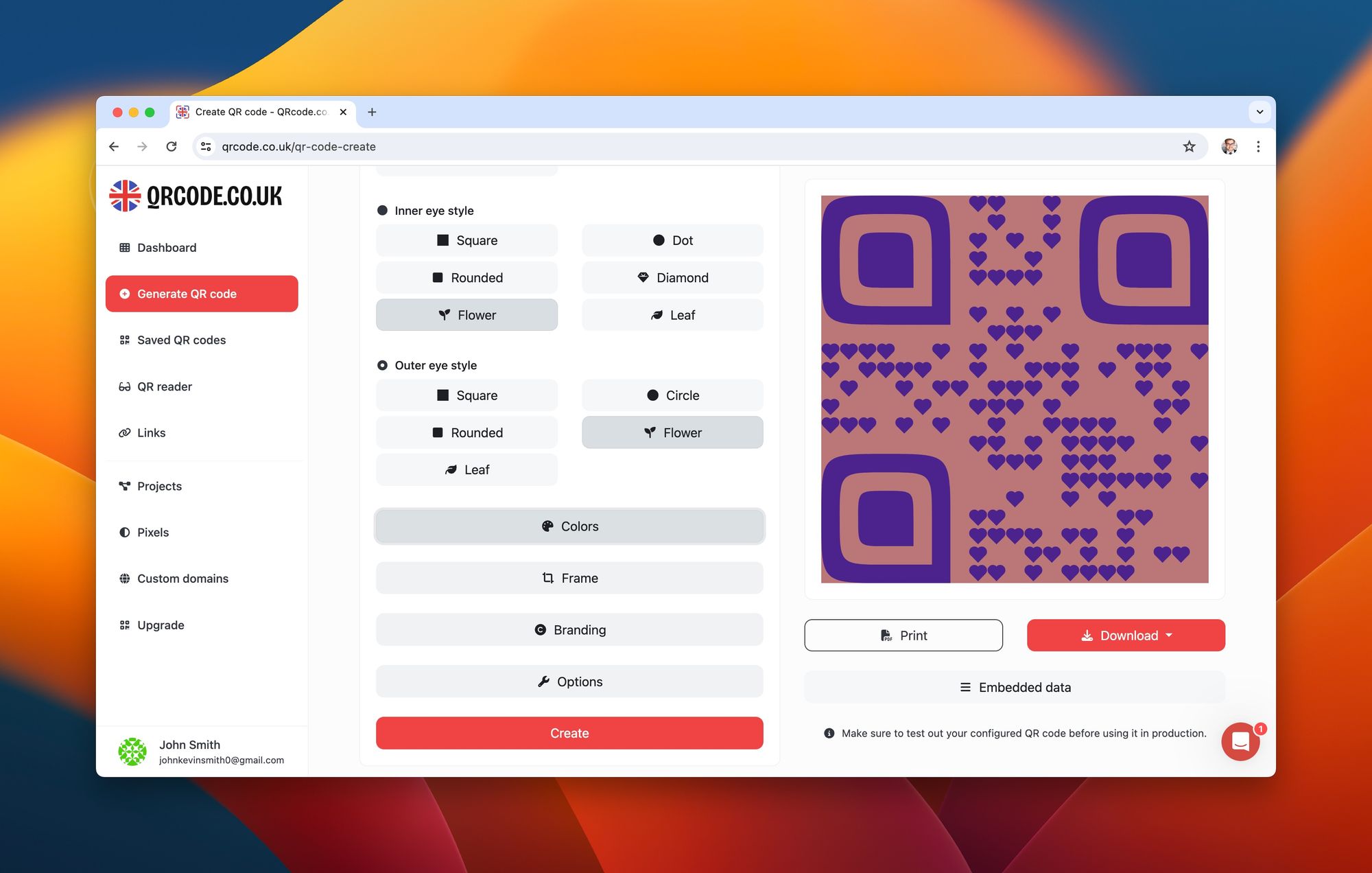
To add a logo via the web interface:
- Generate your QR code on QRCode.co.uk
- In the customisation panel, click Branding
- Upload your logo (PNG or SVG, transparent background recommended)
- Adjust the logo size so it doesn't exceed 25% of the QR code area
For API-based logo insertion, include the logo parameter in your request:
{
  "type": "url",
  "data": "https://example.com",
  "style": {
    "color": "#1a1a2e",
    "background": "#ffffff",
    "dotStyle": "rounded",
    "logo": "https://yoursite.com/logo.png",
    "logoSize": 0.2
  },
  "options": {
    "errorCorrection": "H"
  }
}
Colour Customisation
Change the foreground (dot) colour and background colour to match your brand palette. Two rules to follow:
- Maintain high contrast: A dark foreground on a light background. Scanners struggle with low contrast combinations.
- Never invert: Light dots on dark background reduces scan reliability by roughly 40%. Always keep the dots darker than the background.
Frames and Call-to-Action Text
QRCode.co.uk offers frame templates that wrap your QR code with a call-to-action like "Scan Me" or "Get Offer." These frames apply to the entire batch when generating in bulk, so every code in your set looks consistent.
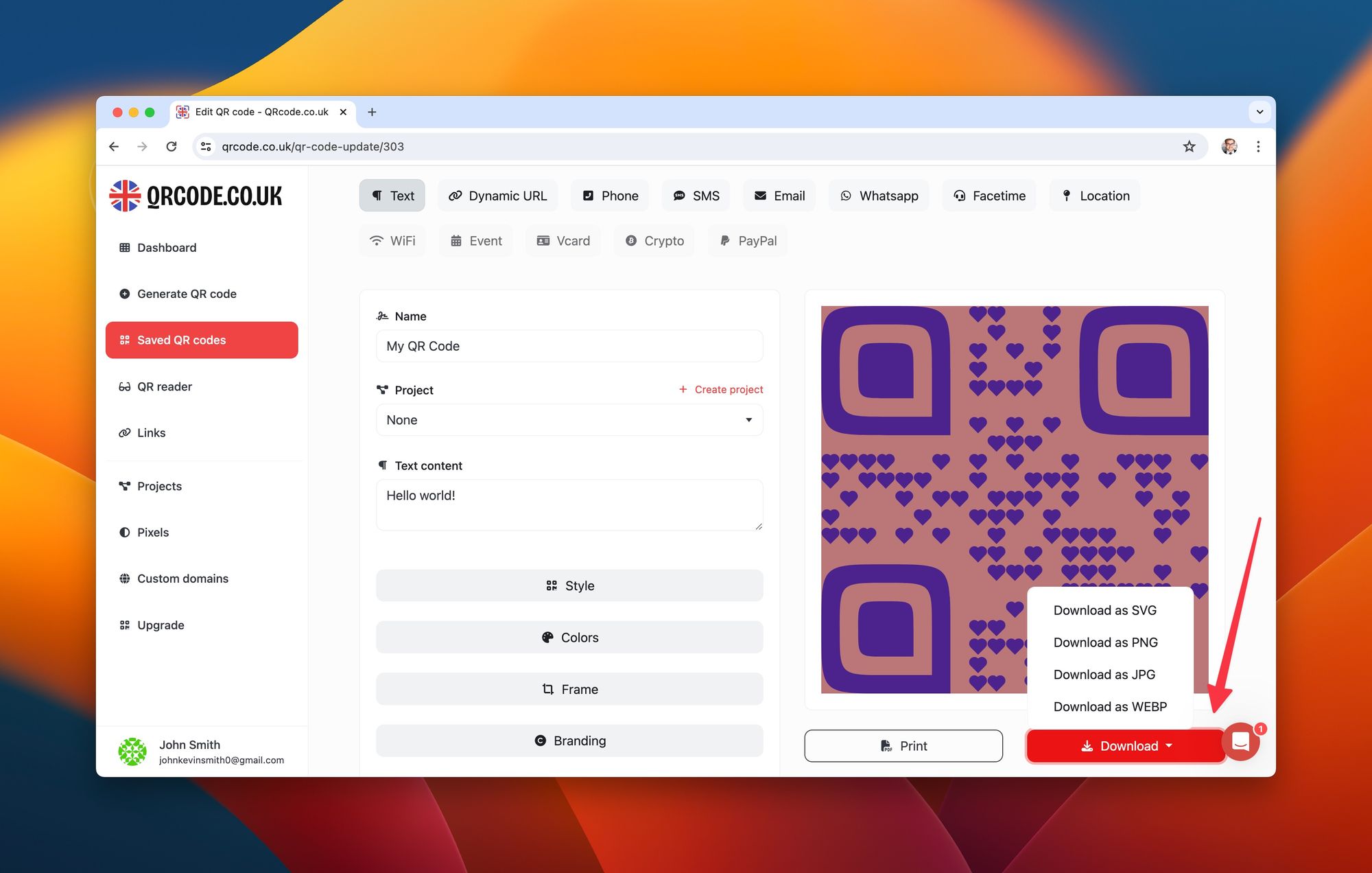
Watch out for:
- Over-customising: Adding a large logo AND reducing error correction to "L" is a recipe for unscannable codes. If you add a logo, always use error correction level "H."
- Brand colours that are too similar: A dark blue logo on a dark blue QR code looks slick in design mockups but fails in real-world scanning conditions (outdoor sunlight, low screen brightness).
Pro tip: I test every new colour combination and logo placement by printing a sample code at 2cm x 2cm (the smallest size we recommend) and scanning it with three different phones: a current iPhone, a mid-range Android, and a phone that's 3+ years old. If the oldest phone can read it, the code is production-ready.
What Are the Best Use Cases for Bulk QR Code Generation in Business?
Bulk QR codes solve real operational problems across industries. Here are the use cases where they deliver measurable results.
Marketing and Advertising Campaigns
Generate unique QR codes for each advertising channel, location, or creative variant. This lets you track which placements drive scans without relying on UTM parameters that users can strip or modify.
A case study from GM's Chevy campaign at SxSW illustrates the potential: according to Holtz Communications' case study analysis, approximately 2% of SxSW Interactive attendees (about 2,400 people) scanned the QR codes, 8.5% scanned multiple cars, and the campaign generated 1,680,230 impressions from blog posts, tweets, and media coverage. Another campaign using QR codes alongside a toll-free number achieved a 3.2% response rate from 148 people.
With QRCode.co.uk's scan analytics, you can run similar attribution analysis on your own campaigns.
Event Management and Ticketing
Each attendee gets a unique QR code on their ticket or badge. At check-in, scanning the code marks attendance instantly. For multi-day events, the same code tracks which sessions each person attends.
Practical implementation: export your attendee list from your registration platform as CSV, generate unique QR codes via the QRCode.co.uk API with each attendee's ID embedded, then merge the QR code images into your badge template using a mail merge tool.
Inventory and Asset Tracking
Manufacturing and retail operations use QR codes on individual products, pallets, or assets. Unlike barcodes, QR codes store enough data to include product origin, batch number, manufacturing date, and a URL linking to full product documentation.
Bulk generation via API integrates directly with your ERP or inventory management system, so new products get codes assigned automatically during the production workflow.
Restaurant Menus and Hospitality
Each table gets a unique QR code linking to the dynamic menu. When prices or items change, you update the destination URL. No reprinting required.
Education and Training
Schools and training organisations use bulk QR codes on course materials, textbooks, and classroom posters. Each code links to supplementary video content, quizzes, or interactive resources. Generating codes for an entire curriculum's worth of materials takes minutes with batch processing.
| Industry | Use Case | Codes Needed | Best Method |
|---|---|---|---|
| Marketing | Campaign tracking | 50-500 | CSV upload |
| Events | Attendee badges | 500-5,000 | API integration |
| Retail | Product labels | 1,000-50,000 | API + ERP integration |
| Hospitality | Table menus | 10-200 | Manual or CSV |
| Education | Learning materials | 100-1,000 | CSV upload |
How to Optimise Bulk QR Codes for Best Results in 2026
Generating the codes is step one. Making sure they actually get scanned, tracked, and deliver results is where optimisation comes in.
Test Before You Print
Generate a sample batch of 10 codes first. Scan every single one. Verify they resolve to the correct destination. Only then generate the full batch. This 5-minute step saves you from discovering errors after printing 5,000 labels.
Choose the Right Error Correction Level
QR codes have four error correction levels, and the right choice depends on how the code will be used:
| Level | Recovery | Best For |
|---|---|---|
| L (Low) | 7% | Digital-only codes on clean screens |
| M (Medium) | 15% | General purpose, most bulk batches |
| Q (Quartile) | 25% | Outdoor signage, rough handling |
| H (High) | 30% | Codes with logos, industrial environments |
For bulk batches that include a logo, always use level H. The logo covers part of the code, so you need the maximum error recovery to maintain scannability.
Size Your Codes Correctly
The minimum scannable size depends on the scanning distance. Use this formula: minimum QR code size = scanning distance / 10. So a code scanned from 30cm (typical phone distance) should be at least 3cm x 3cm. For a poster scanned from 2 metres, you need 20cm x 20cm.
Use Dynamic Codes for Campaigns
QR TIGER's scan data shows 41.77 million scans tracked worldwide across their platform, according to their statistics report. That level of tracking is only possible with dynamic codes. QRCode.co.uk's scan tracking gives you the same visibility into your own campaigns.
Implement UTM Parameters for Granular Tracking
Combine QR code tracking with UTM parameters in your destination URLs for double attribution. Structure your URLs like this before generating codes:
https://yoursite.com/landing?utm_source=qr&utm_medium=print&utm_campaign=spring2026&utm_content=flyer-londonThis way, QRCode.co.uk tracks the scan event, and your analytics platform (Google Analytics, Matomo) tracks the on-site behaviour after the scan.
Watch out for:
- Generating codes without a tracking plan: Decide what you'll measure BEFORE generating. Adding tracking parameters after printing defeats the purpose of bulk generation.
- Ignoring scan data: QRCode.co.uk provides geographic and temporal scan data. If 80% of scans happen on mobile between 12-2pm, that tells you something about your audience and placement.
Pro tip: We've seen clients generate 5,000 codes and never check the analytics dashboard once. Set a calendar reminder to review scan data weekly for the first month of any campaign. At QRCode.co.uk, we built the dashboard specifically to surface the metrics that matter: scan count, location, device, and time of day.
Frequently Asked Questions
How does a bulk QR code generator free version work?
How do you use a bulk QR code generator from Excel?
What is a bulk QR code generator in Google Sheets?
How do you create bulk QR codes with custom text?
What is the best bulk QR code generator app for businesses?
How do you add logos to bulk QR codes for free?
Is there a limit to how many QR codes I can generate at once?
What Results Should You Expect from Bulk QR Code Generation?
Setting realistic expectations prevents disappointment. Here's what our experience running QRCode.co.uk has taught us about typical outcomes.
Generation Speed
Via the QRCode.co.uk API, expect roughly 5-10 codes per second with sequential requests, or 20-50 per second with parallel workers. A batch of 1,000 codes completes in 1-3 minutes. Manual web-based generation is slower (about 1 code per 10-15 seconds including data entry), which is why the API exists.
Scan Rates
Industry scan rates vary dramatically by placement and context. The GM/Chevy SxSW case study showed a 2% scan rate in an event setting. Direct mail campaigns average 3-5%. Product packaging with well-positioned QR codes can hit 8-15%.
Factors that increase scan rates: clear call-to-action text near the code, adequate code size, high contrast colours, a visible logo that signals trustworthiness, and placement where users naturally have their phones in hand.
Tools Mentioned in This Guide
| Tool | Purpose | Price | Best For |
|---|---|---|---|
| QRCode.co.uk API | Bulk QR code generation via REST API | Free tier available | Automated bulk generation at scale |
| QRCode.co.uk Plans | Web-based QR generation with analytics | Free and paid plans | Manual batch creation with tracking |
| QR code generators compared | Tool comparison and evaluation | Varies by tool | Choosing the right platform |
Start Generating Bulk QR Codes Today
Bulk QR code generation doesn't need to be complicated or expensive. Whether you're creating 50 codes for a local marketing campaign or 10,000 for a product line rollout, the process follows the same pattern: prepare your data, choose your settings, and generate.
The QRCode.co.uk API handles the heavy lifting. You get full customisation, dynamic codes with scan tracking, and the flexibility to integrate QR code generation into any workflow.
Your first step: create a free QRCode.co.uk account, generate your API token, and run the sample Python script from this guide with 10 test URLs. You'll have working bulk QR code generation in under 5 minutes.
For related guides on getting more from QR codes, read our breakdown of QR code generator alternatives, learn about free QR code generation, or check whether a QR code or barcode is the right fit for your use case.