
A static QR code stores fixed data in its pattern and can't be edited after creation, while a dynamic QR code uses a redirect URL that lets you update the destination, track scans, and run analytics without reprinting. According to Supercode, 98% of all QR codes created today are dynamic — a clear shift toward editable, trackable codes.
What Are Static vs Dynamic QR Codes and Why Does It Matter in 2026?
The static vs dynamic QR code decision affects every campaign you'll run this year. Pick wrong, and you're either stuck with dead links on 10,000 printed flyers or paying for tracking you don't need on a one-off Wi-Fi password.
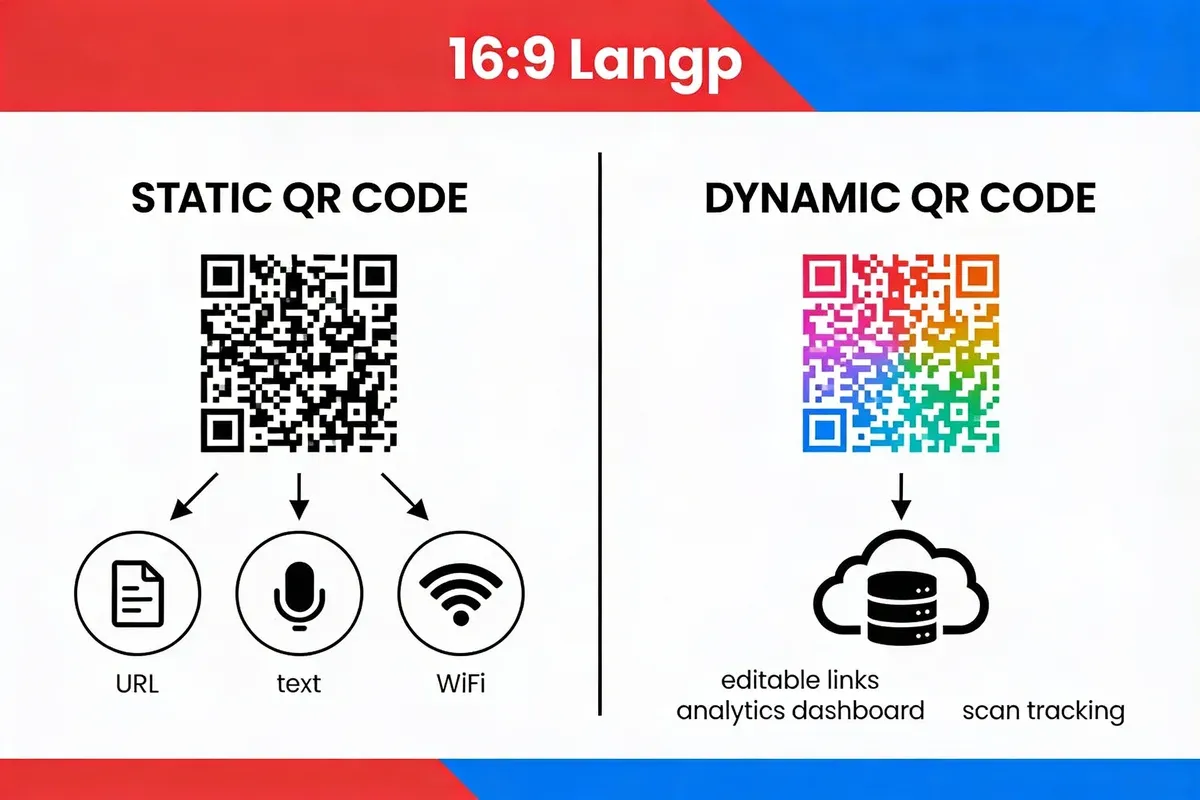
A static QR code encodes data directly into the black-and-white modules of the code itself. The URL, text, or vCard information is baked into the pattern at generation time. Once printed, that data never changes. You can't edit it, redirect it, or see who scanned it.
A dynamic QR code works differently. Instead of encoding the final destination, it stores a short intermediary URL (something like qrco.de/abc123) that points to a redirect server. That server then forwards the scanner to your actual destination. Because the redirect sits on a server you control, you can swap the destination URL, turn tracking on or off, and set expiration dates, all without touching the printed code.
I've generated thousands of QR codes over three years at QRCode.co.uk, and the pattern I see is consistent: businesses that start with static codes come back within months asking how to switch. The limitation isn't obvious until a URL changes or you need scan data for a quarterly report.
How Does the Dynamic QR Redirect Actually Work?
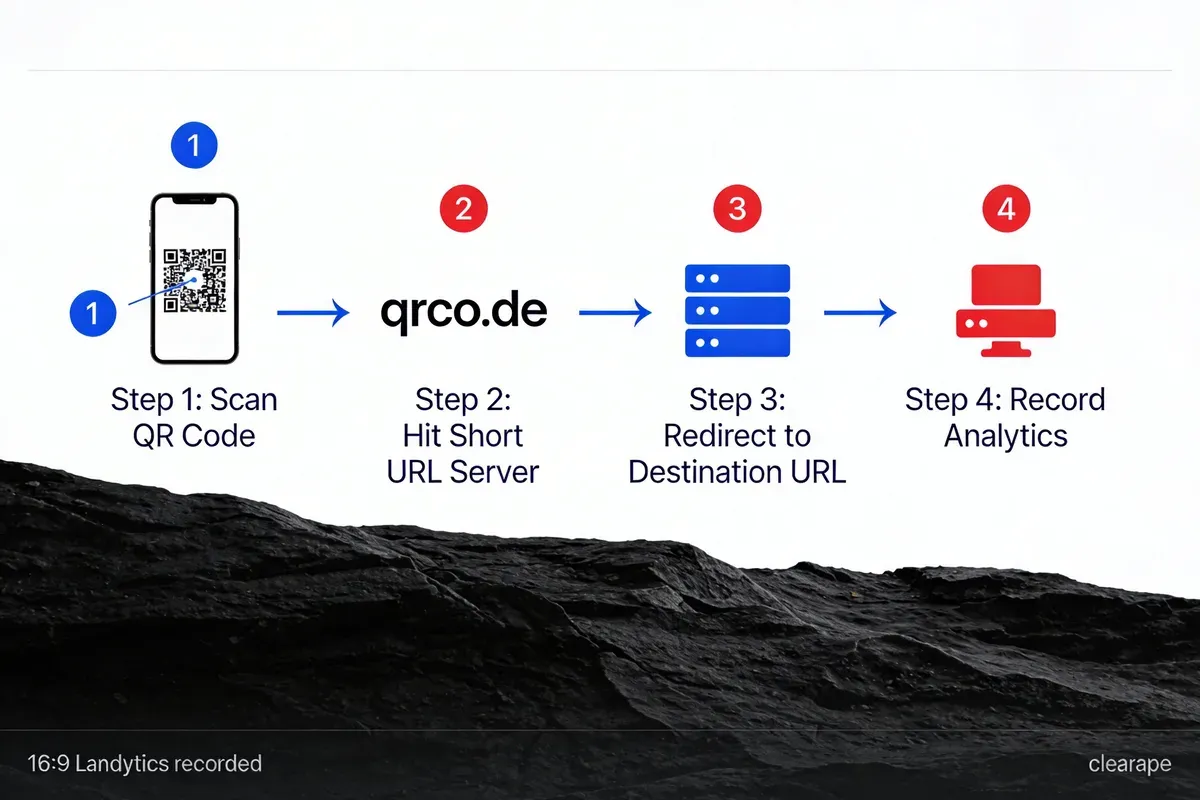
Here's the four-step process that runs in under 200 milliseconds:
- Scan: A smartphone camera reads the QR code's pattern and decodes the short URL (e.g.,
qrco.de/abc123) - Server lookup: The phone's browser sends a request to the redirect server, which checks its database for the current destination mapped to that short code
- Log and redirect: The server logs the scan (timestamp, device type, location, referrer) and issues an HTTP 302 redirect to the destination URL
- Destination loads: The scanner's browser follows the redirect and loads your landing page, menu PDF, app store listing, or whatever you've configured
This redirect mechanism is why dynamic codes can do things static codes can't. The QR pattern itself never changes. Only the server-side mapping does. That's also why dynamic codes depend on server uptime, which is a trade-off I'll cover in the failure modes section below.
What Is the Difference Between Static and Dynamic QR Codes?
The core difference is editability and tracking. Static codes are permanent and self-contained; dynamic codes are flexible and server-dependent. Here's the full breakdown across every dimension that matters for a real campaign.
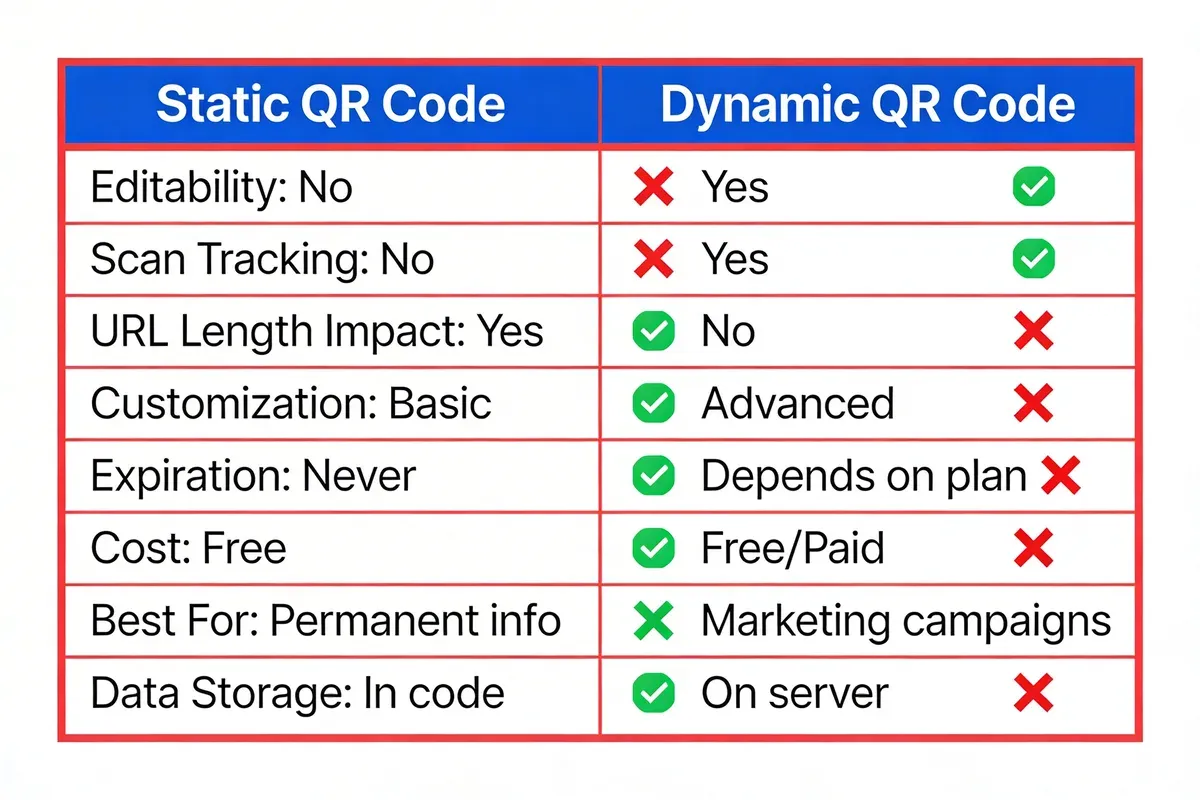
| Feature | Static QR Code | Dynamic QR Code |
|---|---|---|
| Data storage | Encoded directly in the pattern | Short redirect URL in the pattern; destination on server |
| Editable after creation | No, permanent once generated | Yes, change destination any time without reprinting |
| Scan tracking | None | Full analytics: location, device, time, total scans |
| URL length impact | Longer URLs create denser, harder-to-scan patterns | Short redirect URL keeps the pattern simple regardless of destination length |
| Expiration | Never expires (data is in the code) | Configurable; can set start/end dates |
| Server dependency | None, works offline | Requires redirect server to be online |
| Cost | Free with any generator | Free for basic use; paid plans for advanced analytics and bulk codes |
| Best for | Permanent info: Wi-Fi passwords, contact cards, serial numbers | Marketing campaigns, menus, event tickets, anything that changes |
| Pattern density | Varies with data length | Consistently compact (short URL) |
| Conditional redirection | Not possible | Route by time, location, device, or language |
| A/B testing | Not possible | Split traffic between multiple destinations |
| Password protection | Not available | Available on most platforms |
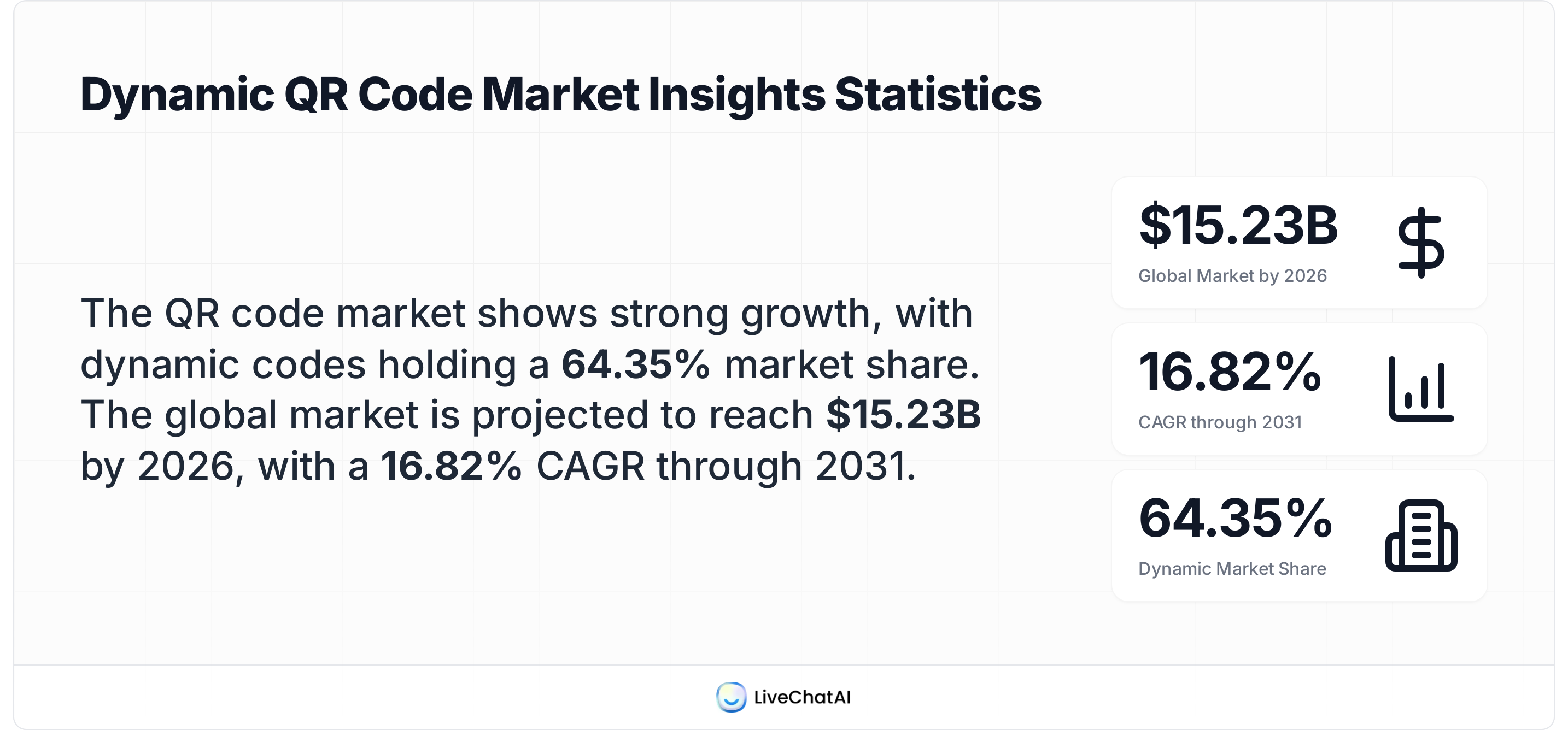
According to Mordor Intelligence, the global QR code market is valued at $15.23 billion in 2026 and growing at 16.82% CAGR to reach $33.14 billion by 2031. Dynamic codes are driving the bulk of that growth, commanding 64.35% of all implementations (Supercode).
Where Do Static QR Codes Still Make Sense?
Static QR codes aren't outdated. They're the right tool for specific jobs where permanence is a feature, not a limitation.
Wi-Fi Network Access
Encoding your Wi-Fi credentials (SSID, password, encryption type) into a static QR code gives guests one-scan access. Since your Wi-Fi password doesn't change monthly at most businesses, a static code printed on a cafe wall or hotel room card works perfectly. No server dependency means it scans even if your internet is down, which is exactly the scenario where someone needs Wi-Fi access.
Contact Cards (vCards)
A static QR code on a business card that encodes your name, phone, email, and company lets recipients save your details in one tap. I've seen sales teams at trade shows hand out 500+ cards in a day. The static vCard approach works because the contact info is self-contained and doesn't need tracking. If your details change, you'll need new cards anyway.
Product Serial Numbers and Asset Tags
Manufacturing lines use static QR codes on product labels to encode serial numbers, batch IDs, or spec sheet URLs that point to versioned documentation. These codes need to work decades from now, independent of any redirect service. A static code on a circuit board from 2026 will still scan in 2046.
Emergency Information
Medical alert QR codes on bracelets or wallet cards encode blood type, allergies, emergency contacts, and conditions. In an emergency, this code needs to work without internet access, without a third-party server, and without any account. Static is the only responsible choice here. If you're looking for the best QR code generator for small business needs like these, a free static option gets the job done.
Permanent Signage and Memorials
Museum placards, historical markers, and memorial plaques use static QR codes linking to Wikipedia entries or institutional pages that won't change. The QR code standard itself has been stable since its 1994 creation by Denso Wave, so the encoded data will remain readable.
What Are the Best Uses for Dynamic QR Codes?
Dynamic QR codes are built for situations where content changes, measurement matters, or you need control after printing.
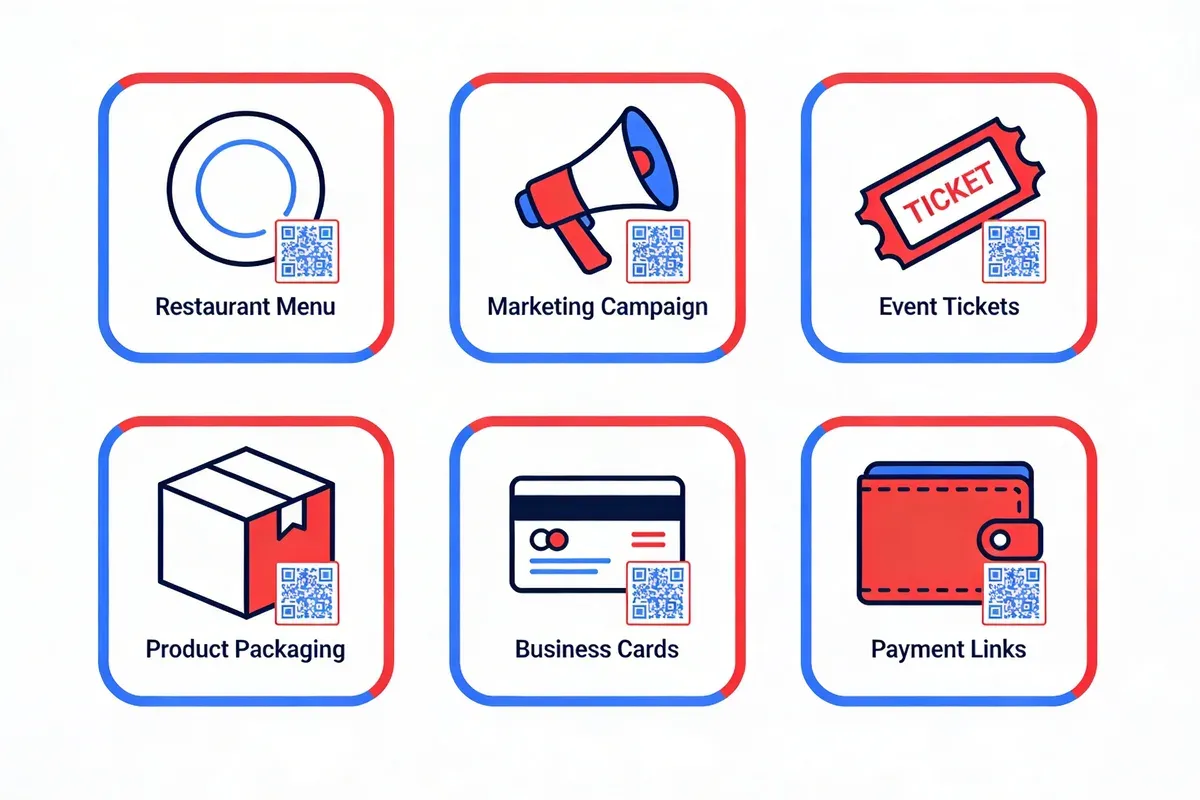
Restaurant Menus
A restaurant that prints a static QR code on every table linking to a PDF menu has a problem the first time they change a dish. With a dynamic code, updating the menu URL takes 30 seconds and the printed table stickers stay put. We've seen restaurants using our dynamic QR code generator swap menu links weekly for seasonal specials without reprinting a single sticker.
Marketing Campaigns with A/B Testing
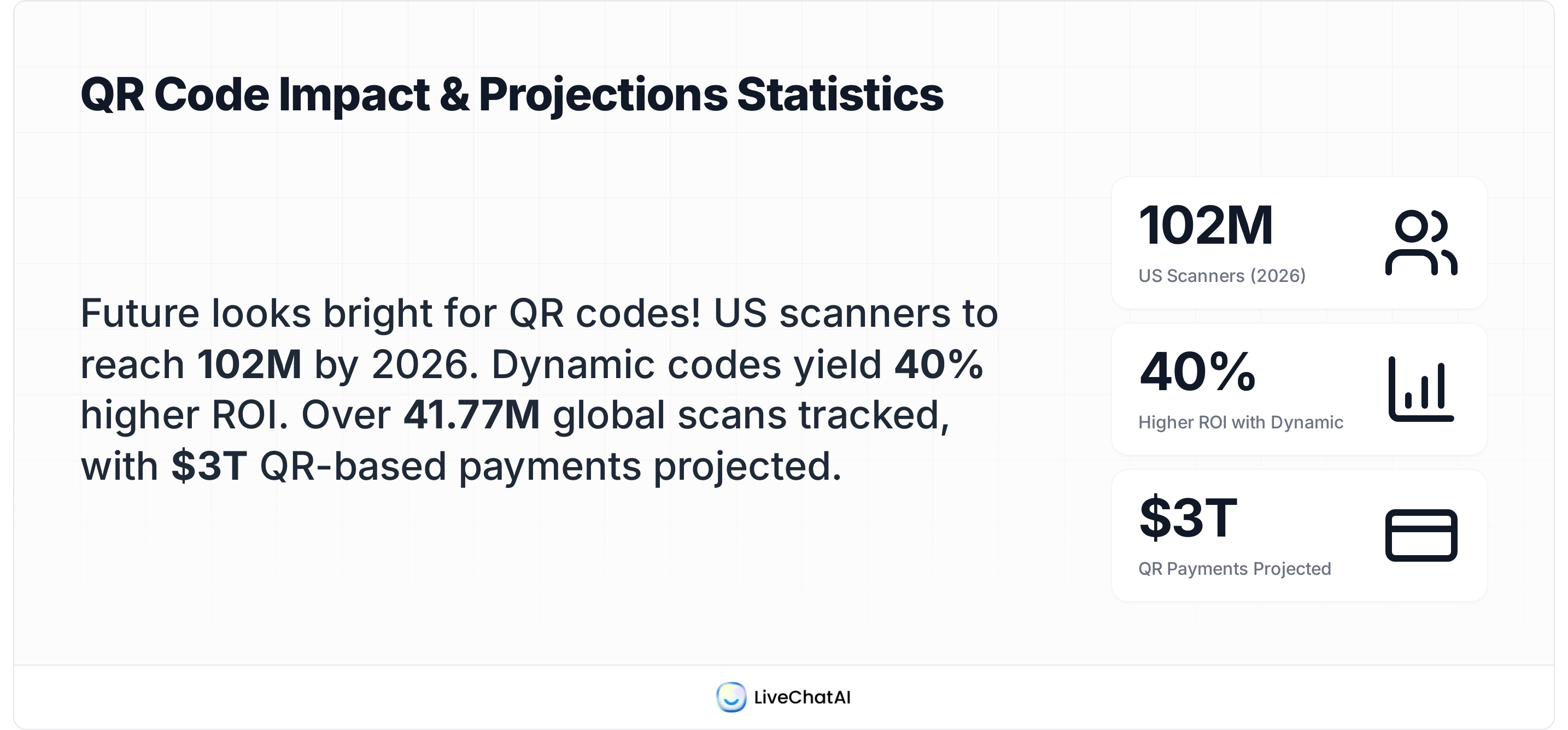
Dynamic codes let you split scan traffic between two landing pages to test headlines, offers, or layouts. According to DEV.ME's 2024 Mobile Marketing Survey of 1,200 businesses, companies using dynamic QR codes see 40% higher campaign ROI compared to static codes. A Texas restaurant chain ran a dynamic QR campaign that produced a 247% increase in foot traffic and $2.1 million in additional revenue in one quarter (DEV.ME).
Event Ticketing and Check-in
Event organizers generate one dynamic QR code per ticket. If the venue changes or the event gets rescheduled, the code redirects to updated information. After the event, that same code can redirect to a post-event survey or photo gallery. For more on how QR codes are reshaping event management, we've published a full statistical breakdown.
Product Packaging with Post-Sale Engagement
A dynamic QR code on product packaging can point to setup instructions at launch, then switch to a warranty registration page after 30 days, then to a cross-sell offer after 90 days. This lifecycle approach is impossible with static codes. eCommerce brands on Shopify use this strategy to extend customer engagement well beyond the initial purchase.
Conditional Redirection by Location or Device
Advanced dynamic QR platforms can route scanners to different destinations based on their country, language, device type, or time of day. A global brand can print one QR code on packaging and send UK scanners to a .co.uk page, US scanners to a .com page, and Japanese scanners to a .jp page, all from the same printed code. This feature alone justifies dynamic codes for any international campaign.
Government and Public Services
Local councils and government agencies use dynamic QR codes on public notices to link to services that update frequently: planning applications, bin collection schedules, or consultation documents. When the linked content changes (and it always does), the code stays current.
What Are the Pros and Cons of Each QR Code Type?
Both types have genuine trade-offs. Here's an honest breakdown based on three years of running a QR code platform and fielding thousands of support requests.
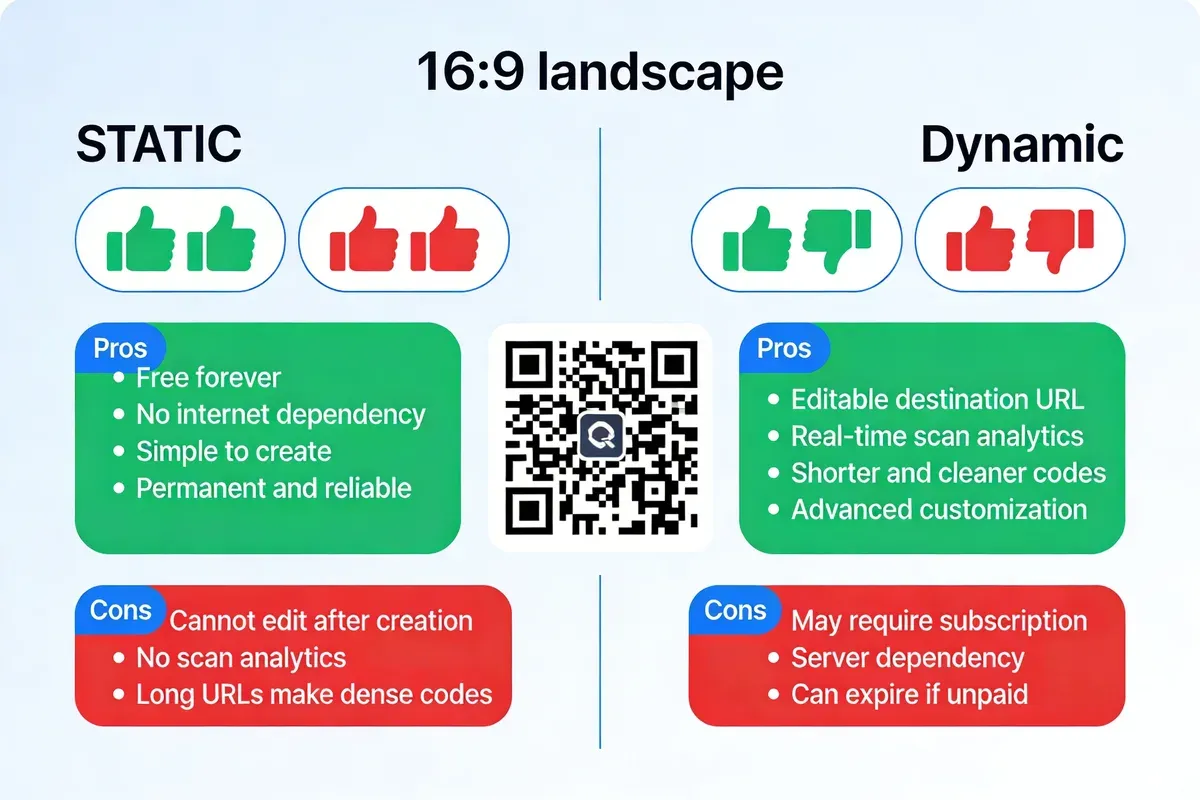
Static QR Code: Strengths
- Zero server dependency: Scans work even when your internet is down or the generating service goes offline
- No ongoing costs: Generate once, use forever, no subscription needed
- Privacy-first: No scan data collected means no GDPR considerations for the code itself
- Simplicity: Generate in seconds with any free tool, no account required
- Longevity: Will scan correctly 20 years from now, no dependency on a third-party service surviving
Static QR Code: Weaknesses
- Dead link risk: If the encoded URL changes or the destination page moves, every printed code becomes useless. You'll need to reprint everything
- No analytics: You can't measure how many people scanned, when, or where. Campaign measurement is impossible
- Pattern density problems: Long URLs create dense, complex patterns that are harder for cameras to read at distance or in low light
- No A/B testing or segmentation: One code, one destination, no flexibility
Dynamic QR Code: Strengths
- Edit destination any time: Change the URL without reprinting a single code. According to Wave Connect, 79% of businesses choose dynamic over static for this reason alone
- Full scan analytics: Track scan count, location (country and city), device type, browser, time of day, and unique vs repeat scanners
- Compact patterns: Short redirect URLs produce cleaner, more scannable codes regardless of how long the final destination URL is
- Conditional logic: Route scanners by location, device, time, or language without multiple codes
- Expiration controls: Set start and end dates for time-limited campaigns, or password-protect access
Dynamic QR Code: Weaknesses
- Server dependency: If the redirect server goes down, every dynamic code using it stops working. This is the single biggest risk. Choose a provider with strong uptime guarantees
- Subscription costs for advanced features: Basic dynamic codes are free on platforms like QRCode.co.uk, but bulk generation, custom domains, and team features typically require paid plans
- Service discontinuation risk: If the QR provider shuts down and you can't redirect the short URLs, all printed codes die. Pick providers that offer custom domain support so you own the redirect domain
- Latency: The redirect adds a small delay (typically 50-200ms). For most use cases this is unnoticeable, but it's worth knowing
Where Can Static and Dynamic QR Codes Fail?
Both code types have failure modes that can kill a campaign. Understanding these before you print 50,000 codes saves real money.
Static Code Failures
- URL changes or domain migration: You move your website from old-domain.com to new-domain.com. Every static QR code pointing to old-domain.com is now a dead link. No fix short of reprinting
- URL path changes: Your CMS restructures blog URLs from
/blog/post-nameto/articles/post-name. Static codes break unless you set up server-side 301 redirects (which requires technical knowledge and server access) - Overly dense patterns: Encoding a 200-character URL creates a complex pattern that won't scan reliably from posters, billboards, or screens at distance
Dynamic Code Failures
- Redirect server downtime: If the redirect service has an outage, every dynamic code using it fails simultaneously. This happened to several providers during cloud outages in 2024
- Subscription lapse: You forget to renew your QR platform subscription. Some providers deactivate codes after the billing lapses, turning printed materials into dead ends
- Provider shutdown: If a QR code service goes out of business without migration tools, you lose control of all short URLs. Using a dynamic QR code with custom domain support mitigates this because you own the redirect domain and can point it to a new service
The mitigation strategy I recommend to clients: use dynamic codes for anything with a short shelf life (campaigns, events, seasonal menus) and static codes for anything that needs to work independently for years (asset tags, emergency info, permanent signage).
How Do You Create a Dynamic QR Code? (Step-by-Step)
Creating a dynamic QR code takes under two minutes. Here's how to do it with QRCode.co.uk's free dynamic QR code generator (no sign-up required for basic use).
- Choose your QR code type: Select "URL" for a website link, or pick from other types like vCard, PDF, Wi-Fi, or app store link. The type determines what data the code stores
- Enter your destination: Paste the URL you want scanners to reach. For dynamic codes, this destination can be changed later without regenerating the code
- Customise the design: Add your logo to the centre, change module colours to match your brand, select a frame with a call-to-action like "Scan Me." Keep contrast high (dark modules on light background) for reliable scanning
- Generate and test: Hit generate, then scan the preview with your phone. Test on both iOS and Android if your audience uses both. Check that the redirect lands on the correct page
- Download in the right format: Use SVG or PDF for print materials (vector formats scale without quality loss). Use PNG for digital screens. Minimum print size: 2cm x 2cm for close-range scanning, larger for posters or billboards
After generating, you'll have a dashboard where you can swap the destination URL, view scan analytics, and manage expiration settings. For tracking scan data in detail, see our guide on how to track QR code scans.
What Are the Best Practices for QR Code Design and Deployment?
A poorly designed QR code won't scan, regardless of whether it's static or dynamic. These practices come from testing thousands of codes across print and digital contexts.
Minimum Size and Quiet Zone
Every QR code needs a "quiet zone" (white border) of at least 4 modules wide around the entire code. Without it, scanners can't distinguish the code from surrounding graphics. Minimum size for reliable scanning: 2cm x 2cm at close range (business cards, product labels), 10cm x 10cm for posters, and 30cm+ for billboards. For detailed specifications, our QR code printing guidelines cover every scenario.
Colour and Contrast
QR scanners need high contrast between modules (the dark squares) and the background. The safest combination is dark modules on a light background. You can use brand colours, but maintain a minimum contrast ratio of 4:1. Never invert (light modules on dark background) because many older smartphone cameras can't read inverted codes. Adding a company logo to the QR code centre works thanks to error correction, but keep the logo under 30% of the code area.
Error Correction Level
QR codes have four error correction levels: L (7%), M (15%), Q (25%), and H (30%). Higher correction lets the code survive more damage (scratches, partial obstruction, logo overlays) but creates denser patterns. Use H if you're adding a logo. Use M for standard print. Use L only for screen-only digital codes where damage isn't a concern.
Testing Before Mass Production
Test every code on at least three devices before printing. Scan at the intended distance and angle. Test in the lighting conditions where the code will be displayed. I've seen £5,000 print runs wasted because a code was tested on a desk but deployed on a backlit window where glare made it unscannable.
What QR Code Trends Are Shaping 2026?
The QR code market is moving fast. Here's what the data shows for 2026 and where the technology is heading.
Consumer Adoption Is Still Climbing
According to Broadsign citing eMarketer data, 94 million US consumers currently use smartphone QR scanners, projected to reach 102.6 million by 2026. That's close to a third of the US population. The Wave Connect data puts the global figure even higher, with 102 million Americans expected to scan QR codes this year. QR code adoption across industries in the UK follows a similar trajectory.
Dynamic Code Market Growth
According to a LinkedIn market forecast, the dynamic QR code generator market is growing at a CAGR of 6% from 2026 to 2033. That's on top of the broader QR market's 16.82% CAGR (Mordor Intelligence). The generator segment grows more slowly because the underlying QR standard is mature; the growth comes from value-added features like analytics, conditional routing, and integrations.
Global Scan Volume
According to QR TIGER's statistics report, 41.77 million scans were tracked worldwide across their platform alone. That's one provider. The total global scan volume across all QR platforms is orders of magnitude larger. For businesses generating codes in bulk, this scan volume represents real measurable engagement.
Conditional Logic and AI Integration
The next wave of dynamic QR features includes AI-driven destination selection based on scan patterns, automated A/B test optimization, and integration with CRM platforms that personalise the post-scan experience. We're already seeing early versions of this at QRCode.co.uk, where scan data feeds into marketing automation workflows.
Which QR Code Type Should You Choose?
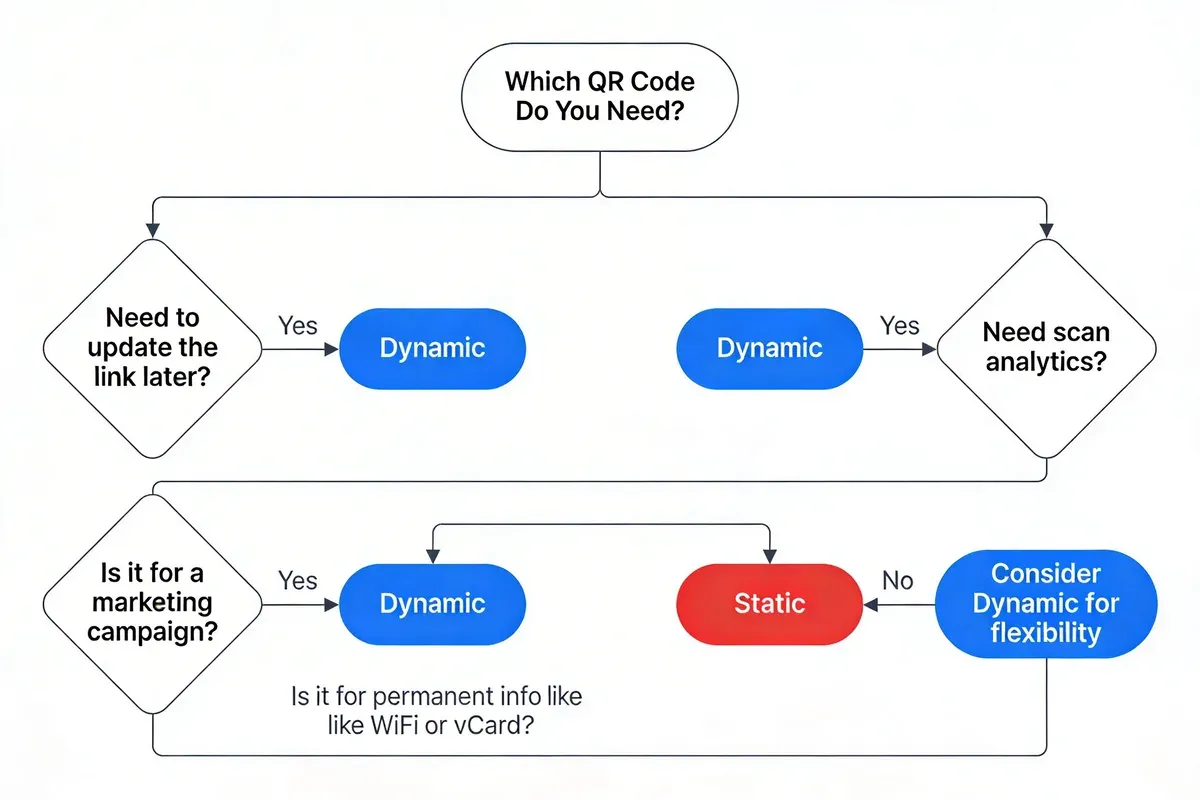
The choice between static and dynamic comes down to three questions. Answer them honestly and the right choice is obvious.
| Your Situation | Best Choice | Why |
|---|---|---|
| Content will never change | Static | No server dependency, no ongoing cost, works forever |
| You need to track scan metrics | Dynamic | Static codes offer zero analytics |
| Printing on materials you can't reprint | Dynamic | You can change the destination without reprinting |
| Budget is zero, permanently | Static | Truly free with no strings |
| Running a marketing campaign | Dynamic | A/B testing, analytics, and URL updates are non-negotiable for campaigns |
| Encoding Wi-Fi or contact info | Static | Self-contained data that works offline |
| Multiple countries or languages | Dynamic | Conditional redirection by location or language |
| Medical or emergency use | Static | Must work without internet or third-party servers |
For small business owners: Start with a free dynamic QR code for your first marketing use case. You'll want the analytics within a week. Use static codes only for permanent, unchanging information like Wi-Fi access or contact cards.
For marketing teams: Dynamic codes should be your default. The 40% ROI improvement DEV.ME documented isn't surprising when you consider the ability to optimise destinations based on real scan data rather than guessing.
For enterprise and international brands: Dynamic codes with conditional redirection and custom domain support are the only serious option. You need location-based routing, multi-language support, and the ability to update thousands of codes simultaneously. Our guide to how long QR codes last covers the long-term considerations for large-scale deployments.
Frequently Asked Questions
How can I tell if my QR code is static or dynamic?
Scan the code and look at the URL in your browser's address bar. If it goes directly to the final destination (e.g., yoursite.com/page), it's static. If you see a redirect through a short URL first (e.g., qrco.de/abc123 that then forwards to the final page), it's dynamic. You can also check your QR code generator dashboard: if the code appears in a management panel with edit and analytics options, it's dynamic.
Are dynamic QR codes worth the cost?
For any commercial or marketing use, yes. The ability to change destinations without reprinting and track scan data pays for itself on the first campaign where you'd otherwise need to reprint materials. Basic dynamic codes are free on QRCode.co.uk. Paid plans (typically starting around $5-15/month) add bulk generation, team access, and advanced analytics. For personal, one-off use where you don't need tracking, static codes are perfectly fine and cost nothing.
What are the disadvantages of static QR codes?
Three main disadvantages: no editability (a wrong URL means reprinting), no tracking (you can't measure engagement), and pattern density (long URLs create complex patterns that are harder to scan). Static codes also can't support A/B testing, conditional redirection, or expiration dates. These limitations make them unsuitable for marketing campaigns, but they remain ideal for permanent, unchanging data like Wi-Fi credentials or emergency contact info.
How do dynamic QR codes improve marketing tracking?
Dynamic codes track every scan with timestamp, geographic location (country, city), device type (iOS, Android), browser, and whether the scanner is a first-time or repeat visitor. This data feeds into campaign dashboards where you can measure total scans over time, identify peak scanning periods, and see which physical locations drive the most engagement. Some platforms integrate with Google Analytics or marketing automation tools for cross-channel attribution. For a detailed walkthrough, see our guide on tracking QR code scans.
When should I use a static QR code instead of dynamic?
Use static codes when the data won't change and you need zero dependency on external services. The best use cases: Wi-Fi passwords, vCard contact details on business cards, product serial numbers for inventory tracking, emergency medical information on wearable tags, and permanent signage in museums or historical sites. If there's any chance the destination might change, default to dynamic.
Can I convert a static QR code to a dynamic one?
No. A static QR code has the destination URL hardcoded into its physical pattern. There's no way to add redirect functionality after the fact. You'd need to generate a new dynamic QR code and reprint the material. This is why many businesses default to dynamic codes from the start, even for use cases that seem permanent. The small overhead is worth the insurance.
Static vs Dynamic QR Codes: The Bottom Line
Static QR codes are reliable, free, and permanent. They work for data that doesn't change and doesn't need measuring. Dynamic QR codes are flexible, trackable, and updatable. They're the right choice for any scenario where you need to edit content, run analytics, or maintain control after printing.
For most business applications in 2026, dynamic codes are the default. The 98% creation rate Supercode reports reflects real market behaviour: businesses tried static codes, hit the limitations, and switched. But static codes still have a clear role for permanent, offline, privacy-respecting use cases.
If you're starting a campaign and aren't sure which type to use, generate a free dynamic QR code on QRCode.co.uk. You'll get editable links, scan analytics, and customisation options with no sign-up required. If you decide later that you only needed a static code, you've lost nothing. But if you start with static and need dynamic features later, you'll be reprinting.